Whoogy works for the people behind every website.
Deliver Client Websites with Confidence.
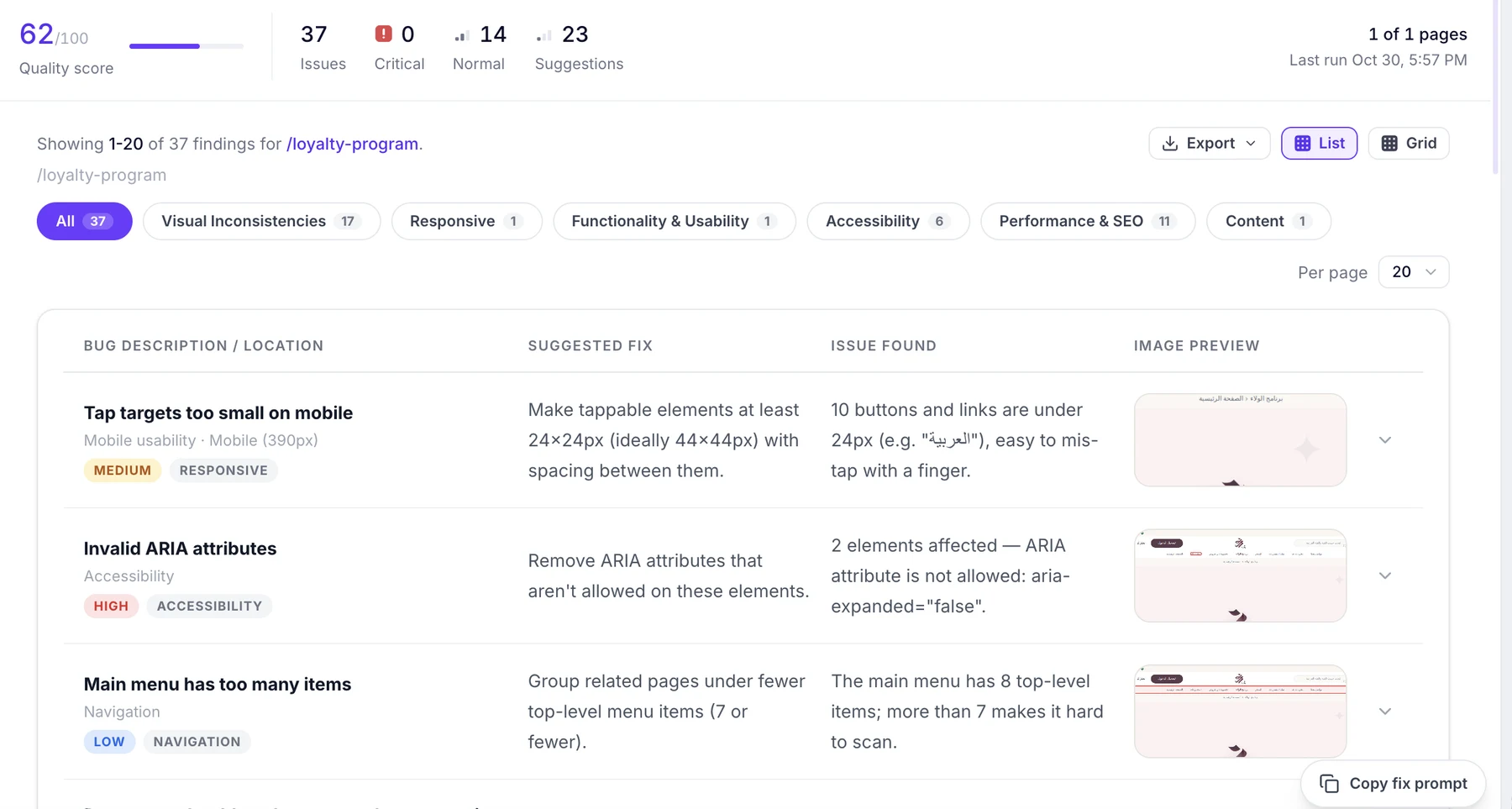
Client handoff shouldn't be the first time someone discovers a visual or responsive issue. Use Whoogy to audit live websites, discover issues across available pages, and compare implementations with approved Figma designs.
- Audit websites before client delivery.
- Find responsive and visual inconsistencies.
- Compare Figma designs with live pages.
- Generate structured reports.
- Share findings with your development team.
Make Sure Your Designs Survive Development.
Your design team has worked hard to create the right experience. Make sure the developed website reflects it.
- Compare approved Figma designs with live pages.
- Identify spacing and typography differences.
- Catch visual inconsistencies.
- Validate supported responsive designs.
- Improve the design-to-development handoff.
Spend Less Time Finding UI Bugs.
Don't rely entirely on manual browser checks to identify differences between your implementation and intended design.
- Audit your live website.
- Compare Figma designs with your implementation.
- Identify layout and responsive issues.
- Use copy-ready AI fix prompts from website audits.
- Review structured testing results.
Add AI-Powered Testing to Your QA Workflow.
Bring more consistency to website quality checks and design validation.
- Run website-wide audits.
- Review visual and responsive issues.
- Validate Figma-to-website implementations.
- Organize findings in structured reports.
- Export audit results for further analysis.
You Built It with AI. Now Test It with AI.
AI coding tools make building websites faster. But generated code and layouts still need testing.
- Enter your AI-built website URL.
- Automatically discover available pages.
- Audit website quality.
- Find responsive and visual issues.
- Copy fix prompts into your AI coding assistant.
Deliver Better Websites. Reduce Avoidable Revisions.
Before sending your next website to a client, use Whoogy to identify issues that could otherwise become another round of revisions.
- Check website quality before delivery.
- Compare designs against implementation.
- Identify visual issues.
- Generate downloadable reports.
Keep Your Product Website Ready for Users.
Your website represents your product. Make quality checks part of your release and improvement workflow.
- Audit marketing websites.
- Identify responsive issues.
- Check design implementation.
- Review website quality after changes.
- Keep reports for your team.
Whatever you're building, start with the right test.
| Your situation | Whoogy solution |
|---|---|
| You have a website but no Figma file | AI Website Audit |
| You built a website with AI | AI Website Audit |
| You want to check SEO and accessibility | AI Website Audit |
| You want to validate mobile and desktop layouts | AI Website Audit or Figma testing, depending on your reference |
| You have Figma designs and a live website | Figma-to-Website Testing |
| You want pixel-level design comparison | Figma-to-Website Testing |
| You need a client-ready audit report | AI Website Audit |
Whatever you build, make sure it's ready.
Find issues, validate designs, and improve website quality with Whoogy.
Test smarter. Fix faster. Ship better.