Grandline DESIGN AGENCY
"Whoogy is very helpful. It takes alot of time and human resource to find bugs and see what's happening from figma to web. But whoogy gives results in details in minutes."
NJ
Naman JainFounder, Grandline, India
Use Whoogy to audit website url for visual inconsistencies and UI issues, and compare Figma designs with live websites to detect design differences.

"Whoogy is very helpful. It takes alot of time and human resource to find bugs and see what's happening from figma to web. But whoogy gives results in details in minutes."
Great Product!
"It gave us results pixel-perfect!"
Building websites is faster than ever. But catching visual bugs, UI issues, and design inconsistencies still takes time.
Catch spacing, typography, color, and layout issues.
Find differences between Figma designs and live websites.
Identify broken layouts and responsive issues.
Reduce repetitive website checks and screenshot comparisons.
Audit live websites with AI or compare Figma designs against live pages. Find issues faster with Whoogy.
Audit Any Website with AI.
Enter a website URL having no design file to detect visual and UI issues and receive an actionable website audit report.
Match website with your Figma design
Compare Figma designs with live website pages to catch visual differences before delivery.
Start an AI website audit or compare your Figma design with a live website.
01. Enter Your URL
Enter your website URL or Figma design url, if needed.
02. Run Whoogy Audit
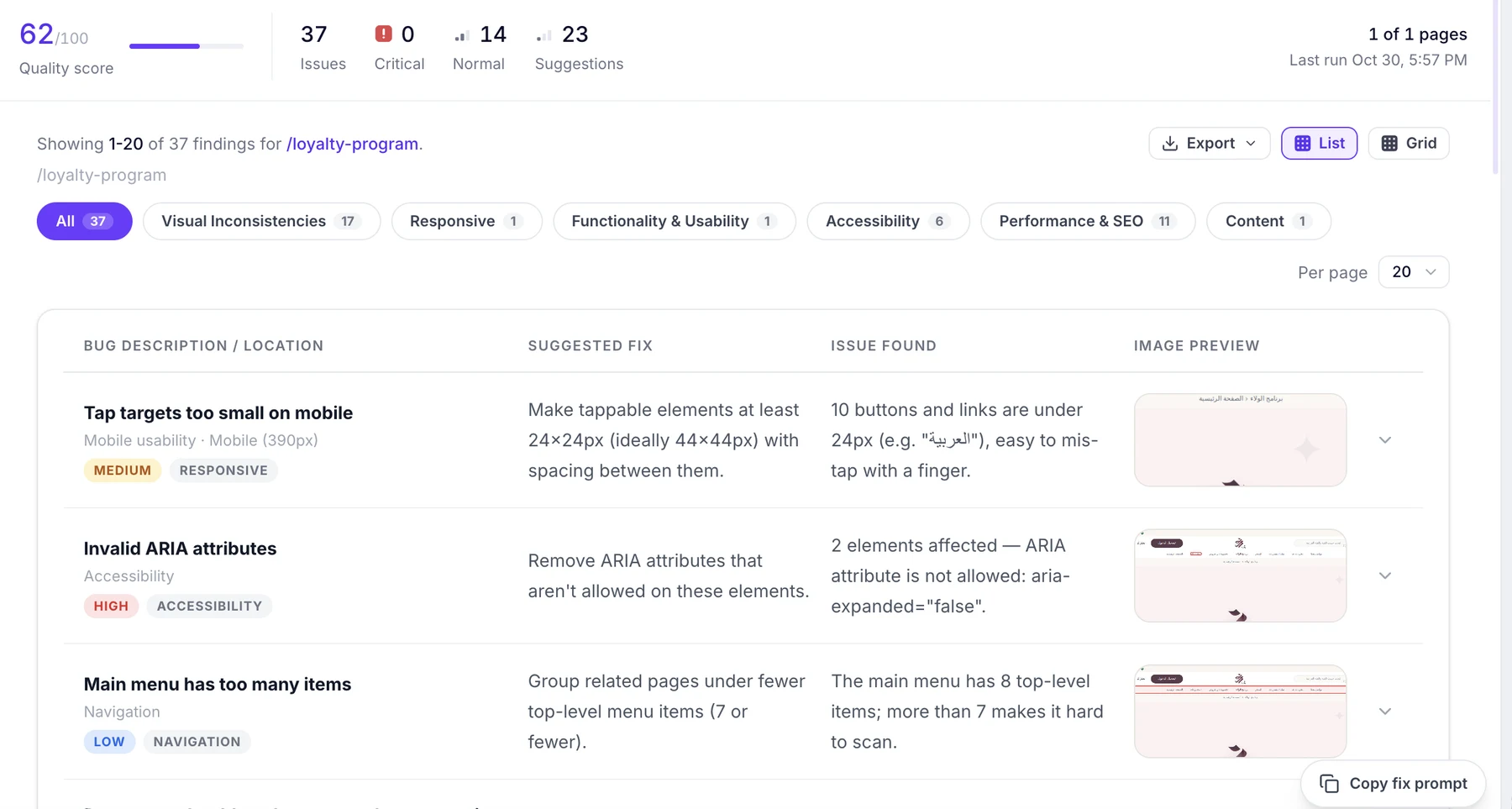
Whoogy analyzes your website and detects visual issues, accessibility, seo.
03. Review Your Report
Explore findings in list or grid view, copy fix prompt or share downloadable report.
AI Website Audit
Analyze live websites without a reference design.
Figma-to-Web Comparison
Compare designs with live implementations.
Visual Issue Detection
Find UI bugs and design inconsistencies.
Multi-Page Testing
Test individual or multiple website pages.
Desktop & Mobile Testing
Review layouts across supported screen sizes.
Shareable QA Reports
Share findings with developers, teams, and clients.
Catch issues before client delivery and reduce revisions.
Verify live websites against approved Figma designs.
Find visual bugs before launch.
Simplify repetitive website visual testing.
Deliver quality websites with less manual QA.
Audit AI-generated websites before publishing.
Move from website issue detection to improvement with actionable QA reports.
Detect
Find visual bugs and UI inconsistencies.
Understand
Review findings and identify issues.
Fix
Use AI recommendations and prompts to guide fixes.
Verify
Run another test to review improvements.
No subscriptions.
Purchase testing credits when you need them.
Can't find what you're looking for? Our team is happy to help.
Contact supportWhoogy is an AI-powered website testing and QA tool for auditing live websites and comparing Figma designs.
AI Website Audits and Figma-to-Website Testing.
It analyzes a live website to identify visual and UI issues and generates an actionable report.
Provide your Figma design and website URL. Whoogy compares them and identifies visual differences.
No. Supported workflows do not require a Figma plugin.
Yes. Whoogy supports single-page and multi-page testing.
Yes. Whoogy supports desktop and mobile testing workflows.
No. Whoogy uses credit-based pricing. Purchased credits never expire.
Audit websites, compare Figma designs, and catch visual bugs before launch.
Test Smarter. Fix Faster. Deliver Better.